Flight Tracker & Airport Info
The cwsi.net app for Android, iPhone and iPad, by TechXperts, LLC
Follow any flight on a live map, see the planes flying near you right now, and look up airport lounges, fare class charts, aircraft types and airport information, in one app. It is the same Flight Tracker and the same tools as this website, made for a phone or tablet. The app is free; Silver and Gold are optional paid plans.


Android 8.0 or newer. iPhone and iPad with iOS 17 or iPadOS 17 or newer.
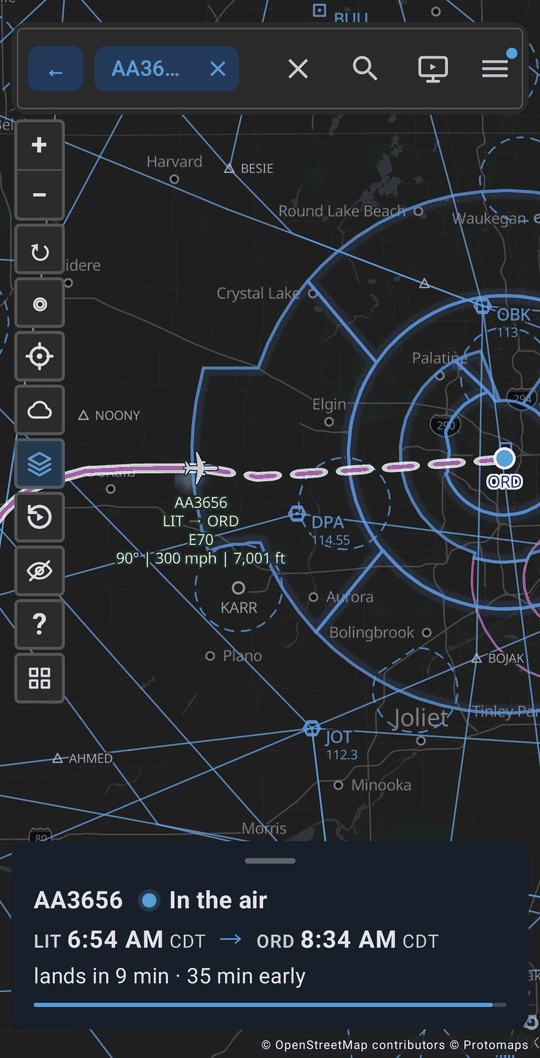
A flight on the live map 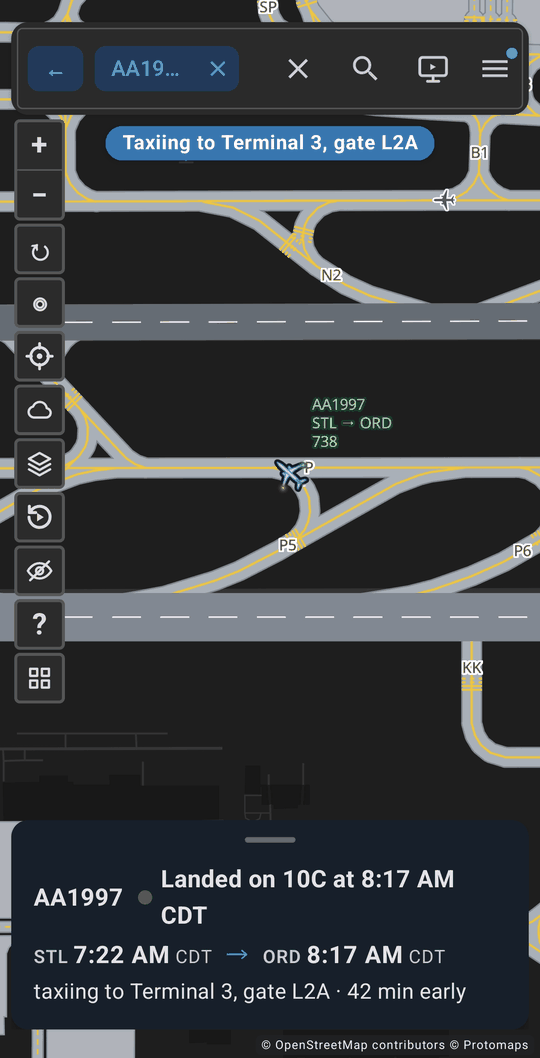
Landed and taxiing to the gate 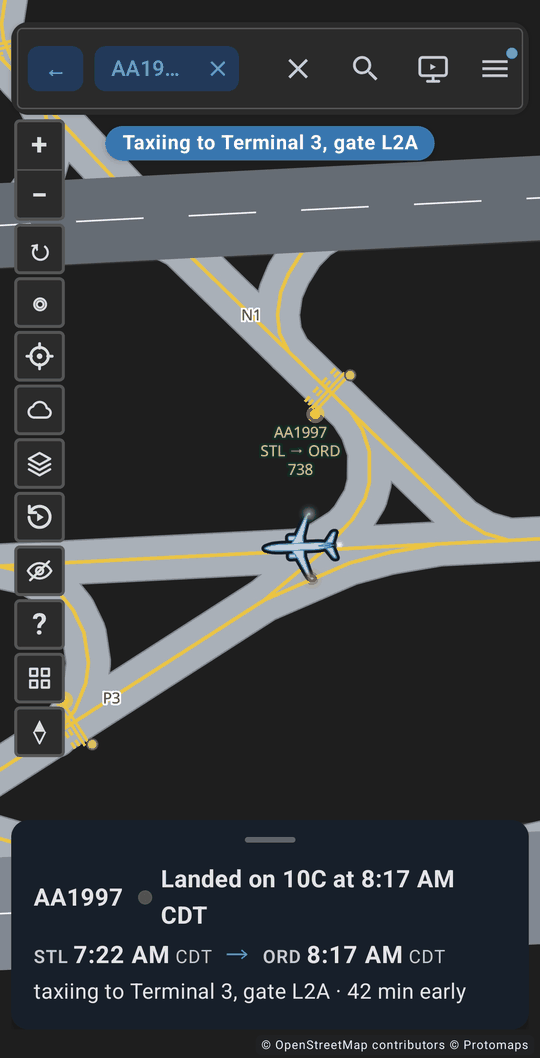
Close in on the taxiways 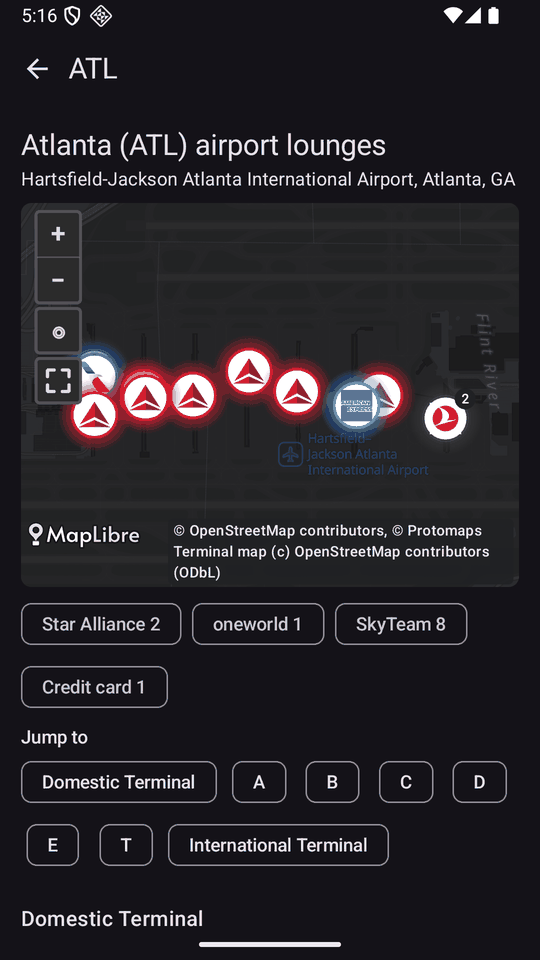
Lounge Finder
What the app does
Live flight tracker
Search by flight number, airline or airport and watch planes move on the map. Tap a plane for its route, speed, altitude, status and whether it is running late, with its path drawn behind it. Weather radar can be shown on the map. On the website this is the Flight Tracker.
Planes near you
The app opens on the flights around you, closest first, with the distance and direction. Your location is used only when you allow it.
Replay a flight
With a free account you can replay a flight after it lands: play, pause and drag the time slider to watch it again.
Trips and alerts Members
Silver and Gold members see their upcoming and past trips in the app and get trip updates by email or in the app. Friends and family you invite can get your trip updates by email once they accept.
Lounge Finder
Look up more than 800 airline, alliance and credit card lounges at more than 100 airports, by terminal and concourse, with maps, hours, and which cards and tickets get you in. It works with no signal. On the website: Lounge Finder.
Fare class charts
Pick an airline and see what each fare letter on your ticket means: the cabin, and the miles or status credit it earns. Also works with no signal. On the website: fare class charts.
Aircraft types
Photos, drawings and specifications for airliners, regional jets, turboprops, business jets and light aircraft, with the airlines that fly them in US airspace. Also works with no signal. On the website: aircraft types.
Airport information
Look up a US airport for its runways, radio frequencies, airport diagram and FBOs. On the website: airport information.
Free, Silver and Gold
- Free, no account: the flight tracker, the planes near you, the Lounge Finder, fare class charts, aircraft types and airport information.
- Free account: keeps your recent flights and lets you replay a flight.
- Silver: faster tracking, replay up to 24 hours after landing, your flight history, your trips with trip updates, KML and CSV export of airline flights, and no ads.
- Gold: everything in Silver, plus private and business aircraft from public flight data, flight and tail history, the fastest tracking, and IFR and VFR charts on the map. The charts are for general interest only and must not be used for navigation or flight planning.
See Membership for the full list and the prices.
Privacy
Your location is used only when you allow it. You can delete your account at any time: see how to delete your account. What we collect and why is in the privacy policy.
Questions about the app
Is the Flight Tracker & Airport Info app free?
Yes. The app is free to download and use on Android, iPhone and iPad. Silver and Gold are optional paid plans that add more. Without a paid plan the app shows some ads; Silver and Gold members see no ads.
Do I need an account to use the app?
No. You can use the flight tracker, the planes near you, the Lounge Finder, fare class charts, aircraft types and airport information without signing in. A free account keeps your recent flights and lets you replay a flight.
Which Android and iOS versions does the app need?
The Android app needs Android 8.0 or newer. The iPhone and iPad app needs iOS 17 or iPadOS 17 or newer.
Does the app show private jets?
Private and business aircraft are not in the free tracker. Gold members can follow a private aircraft by tail number, and the tracker shows the ones we receive live tracking for, so some flights may not appear. Aircraft on the FAA LADD block list, and aircraft whose owners have asked to be blocked, are never shown, and military aircraft are never shown. We never display who owns an aircraft.
Does the app work without a signal?
Partly. The Lounge Finder, fare class charts and aircraft types are saved on your device and work with no signal. Live flight tracking needs a connection.
Where does the flight data come from?
Flight positions and times come from public flight data, which is strongest for flights in the United States. They can differ from what the airline shows, so check with your airline before you travel.
More answers are in the FAQ and on the Help page. Google Play and the Google Play logo are trademarks of Google LLC. Apple, the Apple logo, iPhone and iPad are trademarks of Apple Inc. App Store is a service mark of Apple Inc.